On my desktop, I have a Laser Printer, HP2055d:
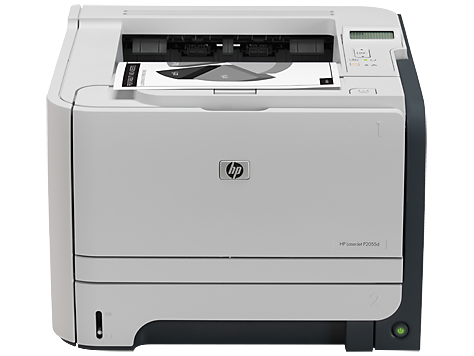
It's connected via USB using a virtual port (USB0001). On my desktop, I have no issues printing etc., but my other machines can't print. I get the following error:
Operation could not be completed (error 0x00000709).
You can see my shares using my direct IP link so it shows my shared folders and also my shared HP2055d printer. When I double click on it from my laptop or other desktop, I get the 0x00000709 error message.
I've googled until I'm blue in the face trying to fix this issue. I do have another printer from HP that is wireless, and it works with no problems from any PC. In fact, on a fresh install of Windows, it will add it automatically. My HP2055d does NOT have a Ethernet card or wireless capability. Only a USB port. Shared printing always worked with no issues until these latest updates.
I've even removed some of the installed updates. Here is what I have on my desktop that has the HP2055d connected to as of today:
Security Update for Microsoft Windows (KB5007186)
Servicing Stack 10.0.19041.1310
Update for Microsoft Windows (KB5006365)
Servicing Stack 10.0.19041.1220
Security Update for Adobe Flash Player
I think it's the KB5006365 which I have uninstalled, and the previous one KB5005033, but it gets reinstalled. I rather keep the updates, but I need a solution to make printing from other PC's work. I don't want to spend $$$ on another laser printer that is either wireless or has a Ethernet card.