How can I improve receiption for a wirless modem?
-
Executioner

- Life Member
- Posts: 10353
- Joined: Wed Nov 22, 2000 11:34 am
- Location: Woodland, CA USA
How can I improve receiption for a wirless modem?
I have my Verizon modem located in the garage. Wife and I sit in the opposite direction of the modem of you were to draw a straight line from it. Wife is always losing connection, and on my laptop, I have half the bars. Do they make repeaters or some other technology to improve reception?

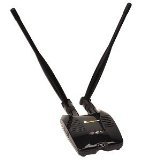
take a look at this thread. http://pcabusers.org/forums/showthread.php?t=53528 I use this thing to catch wireless in my garage which is about 200+ feet from the house
<a href="http://www.heatware.com/eval.php?id=123" target="_blank" >Heatware</a>
-
FlyingPenguin

- Flightless Bird
- Posts: 33161
- Joined: Wed Nov 22, 2000 11:13 am
- Location: Central Florida
- Contact:
Try mounting your modem as high as possible. The higher in the air, the better the range. Avoid metal (like metal stud walls) if possible.
While I have never tried it myself, a router modded with DD-WRT firmware can be configured as a repeater:
http://www.dd-wrt.com/wiki/index.php/Client_Bridged
While I have never tried it myself, a router modded with DD-WRT firmware can be configured as a repeater:
http://www.dd-wrt.com/wiki/index.php/Client_Bridged
---
“The Government of Spain will not applaud those who set the world on fire just because they show up with a bucket.” - Prime Minister of Spain, Pedro Sánchez

“The Government of Spain will not applaud those who set the world on fire just because they show up with a bucket.” - Prime Minister of Spain, Pedro Sánchez
-
Executioner
- Life Member
- Posts: 10353
- Joined: Wed Nov 22, 2000 11:34 am
- Location: Woodland, CA USA
-
FlyingPenguin
- Flightless Bird
- Posts: 33161
- Joined: Wed Nov 22, 2000 11:13 am
- Location: Central Florida
- Contact:
ANY external USB wifi adapter is going to work better than the laptop's built-in adapter. I carry around something like that in my laptop back-pack to pull in really weak signals.
Get a long USB cable for it and mount it high if you can.
Get a long USB cable for it and mount it high if you can.
---
“The Government of Spain will not applaud those who set the world on fire just because they show up with a bucket.” - Prime Minister of Spain, Pedro Sánchez
“The Government of Spain will not applaud those who set the world on fire just because they show up with a bucket.” - Prime Minister of Spain, Pedro Sánchez
-
Executioner
- Life Member
- Posts: 10353
- Joined: Wed Nov 22, 2000 11:34 am
- Location: Woodland, CA USA
Bought it and it's a huge improvement over the Dell POS that came with the laptop. Actually, I'm sure the Dell wireless card is defective, but I hate working on laptops especially Dell's. The only laptops for me that are easy are IBM Thinkpads.wvjohn wrote:take a look at this thread. http://pcabusers.org/forums/showthread.php?t=53528 I use this thing to catch wireless in my garage which is about 200+ feet from the house

I never had much of an issue with Laptop wireless if it was designed well enough. Always get a good signal, even pickup stuff from across the street. Though I have found some Intel wifi cards and the Realtek ones to be mediocre at best. The Atheros ones I have had the most success with.
Do note, you can always hook up any router to it. These wireless modems tend to have wired connections as well and you can just jack in a decent router and be on your way. If needed you can use routers as a bridge to repeat the signal.
Do note, you can always hook up any router to it. These wireless modems tend to have wired connections as well and you can just jack in a decent router and be on your way. If needed you can use routers as a bridge to repeat the signal.
When all else fails, replace the user.