Page 1 of 1
External Hard Drives
Posted: Fri Sep 26, 2008 8:22 pm
by MAC
Read over FlyingPenguin's sticky on Zen and the Art of Hard Drive Partitioning and I'm thinking of getting an external hard drive to backup my new PC. Any recommendations? I took a look at some 500 GB Seagate external hard drives at New Egg and can get one for about $90.00.
Posted: Fri Sep 26, 2008 8:32 pm
by FlyingPenguin
Seagates are good external drives. Avoid the Western Digital ones - I've seen a LOT of them fail lately.
Posted: Sun Sep 28, 2008 2:07 am
by ZYFER
Well do remember, WD externals the same as the internals, not exactly reliable from my experience either. Though WD's notebook drives seem far better.
Seagate has always been a personal choice due to reliability and their products carry a good warranty, something the competition no longer offers.
Posted: Sun Sep 28, 2008 10:02 am
by GuardianAsher
About 8 months ago I purchased a Seagate FreeAgent Pro 500GB External HDD. I keep ALL of my important data on it. But I don't use it for just backups. This thing is actually used as my second hard drive, at least until I can afford to get another, and use the FreeAgent as a real
backup hard drive.
Anyway, it's been used nearly every day for 8 months solid, carried with me to many places, been jostled pretty badly (car accident, in a case but slammed against the dash board,) and it still runs just as good as the day I bought it.
I've even disassembled it once to see if I could upgrade it, and it uses a normal Seagate 500GB internal hard drive, SATA 3.0Gbps HDD, connected to a SATA to USB/e-Sata or dual firewire adapter.
Meh... I'd buy the seagate

Posted: Sun Sep 28, 2008 12:07 pm
by FlyingPenguin
My only complaint with the Seagate Freeagent and most of the external drives from a HDD manufacturer, is that they make the case very hard to get into without breaking it. There's usually no screws, just hidden tabs and if you don't know where to push or pry with a screw driver, you'll chew it up or bust it.
Why get into it? Well if you need to run an advanced disk utility on it like Spinrite, it's a LOT faster and better to do it when the drive is connected directly to the mobo's SATA controller. Running Spinrite or any other DOS based utility on a USB drive will be VERY slow because BIOS only supports USB 1.1 speeds. Also Spinrite can't do certain low level drive functions through USB.
Another reason is you may want to upgrade the size of the drive, or whatever.
I also don't like that many of the modern external drives don't have a real power switch, just a "soft" switch. Sometime you want to turn off the drive and there may be no way to do it without unplugging it.
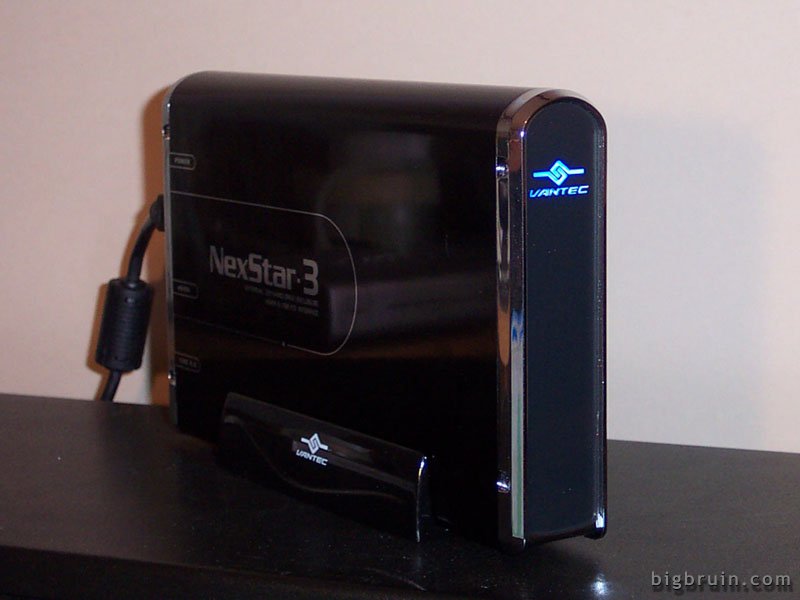
So lately I've been buying an external enclosure and a SATA drive and making my own external drives. I really like these enclosures from Vantec - I have two of them, one with a 300Gb drive and one with a 500Gb drive:
http://www.newegg.com/Product/Product.a ... T-360SU-BK
Two screws and it slides right open. Rocker switch on the back for power. Also it has a brick-type power supply instead of a wall transformer which is easier to find an outlet for.
Posted: Sun Sep 28, 2008 12:26 pm
by wvjohn
I just got one of these and have been pretty happy with it so far. Very sturdy, no power brick, hot swappable.
http://www.newegg.com/Product/Product.a ... 6817182116
Posted: Sun Sep 28, 2008 1:35 pm
by TheSovereign
seagate r good, but building your own is cheaper
Posted: Sun Sep 28, 2008 6:02 pm
by RubberDuckie
any good network (giga bit) bays that you could put SATA HDDs in and mirror them?