Page 1 of 1
Recommendations for a LCD Monitor
Posted: Tue Nov 16, 2004 12:53 am
by Executioner
Guys,
I'm in the market for a 17" LCD monitor. It's not for me, but for my wife. It will be a anniversary present and xmas present.
I have no knowledge of LCD's,; therefore, I have no idea what will be good. She does not play games, so the brightness and text sharpness are important.
My budget is less than $300. What should I look for (specs)?
Posted: Tue Nov 16, 2004 8:59 am
by wvjohn
there was a decent deal on the 17" planars from dell recently...we have a bunch of those at work and they have been up and running for about 18 mos with no issues at all....good color contrast, etc. and no bad pixels from any of them...the were priced around $250 on sale recently I think.
Posted: Tue Nov 16, 2004 4:17 pm
by chottoED
Check NewEgg for their CTX models... either that or keep an eye out for Dell SB deals now that we're closing in on the holiday season.
black friday lcd thread
Posted: Wed Nov 17, 2004 10:45 am
by wvjohn
Posted: Wed Nov 17, 2004 11:34 am
by nexus_7
LG seems pretty good.
Greg
Posted: Thu Nov 18, 2004 3:46 pm
by chottoED
All the new Dells are LGs
Posted: Wed Nov 24, 2004 2:43 am
by Executioner
I bought a LG 1710SK at Newegg for ~ $319 shipped to my door (damn taxes).
http://www.newegg.com/app/ViewProductDe ... 019&depa=1
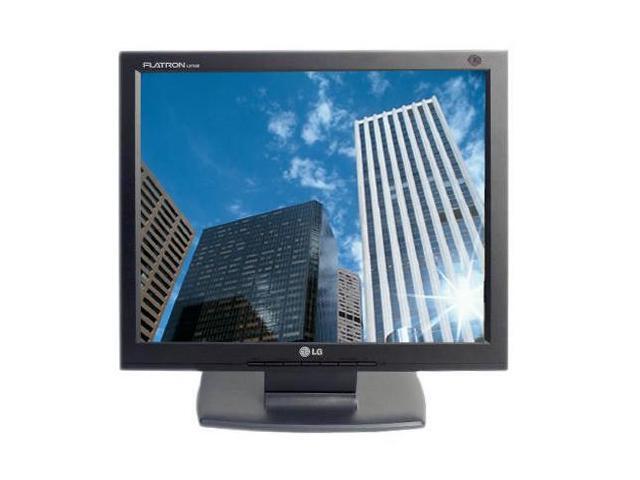
Wife can actually see text, but I still need to replace her very old Voodoo3 graphics card with an ATI 9x series adapter.
Thanks for all the suggestions.
Posted: Wed Nov 24, 2004 6:51 am
by wvjohn
there is some windows add on out there called clear text or such that is supposed to help with text on lcds
Posted: Wed Nov 24, 2004 9:37 am
by Busby
http://www.microsoft.com/windowsxp/down ... rtoys.mspx
Use the ClearType Tuner powertoy for XP to fine tune the ClearType settings. It does make a difference.
Posted: Wed Nov 24, 2004 11:27 am
by FlyingPenguin
Whoa. The Task Switch PowerToy is VERY nice.

Never seen that before. Crap, they should have built something like that into Windows a long time ago. I usually have 10 - 15 windows open at one time.
Alt-Tab Replacement
With this PowerToy, in addition to seeing the icon of the application window you are switching to, you will also see a preview of the page. This helps particularly when multiple sessions of an application are open.

Posted: Wed Nov 24, 2004 12:30 pm
by Executioner
Originally posted by wvjohn
there is some windows add on out there called clear text or such that is supposed to help with text on lcds
My wife is using Win2k. Would that link still work for win2k?
Posted: Wed Nov 24, 2004 8:30 pm
by zandor
As far as specs go, look for contrast and perhaps brightness (depending on the room... you don't need a bright screen in a non-bright room) unless she games. The usual 25ms is fine for a non-gamer. That works out to 40fps, which is faster than the 30fps video puts out, so it'll be fine.
Posted: Wed Nov 24, 2004 8:38 pm
by FlyingPenguin
Exec: Those are all XP powertoys I'm afraid.
